Help
How to activate your device
Three simple steps to unlock your subscription. After the trial, choose a plan that fits.
Very important!
You have 7 days to test the app before paying. Please do NOT pay if something doesn't work for you, as payment will not fix any of these problems and you will not be refunded. If you use a stolen card, your TV will be banned and its IP address reported.
Open the activation page
Click Device Login in the navigation, then go to Activate inside your dashboard.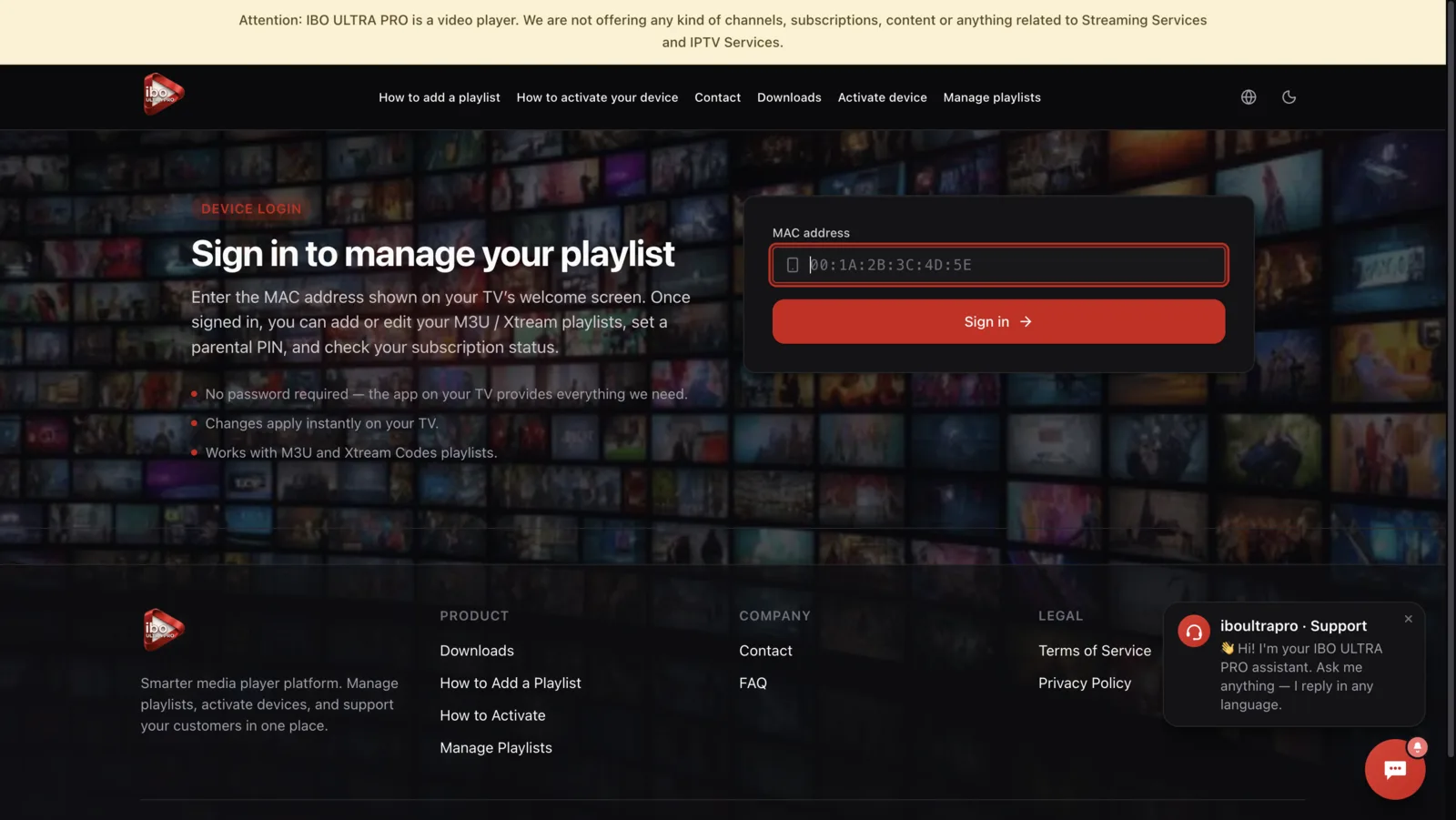
Enter your device details
Type the MAC address and device key shown on your TV. Both are visible on the welcome screen.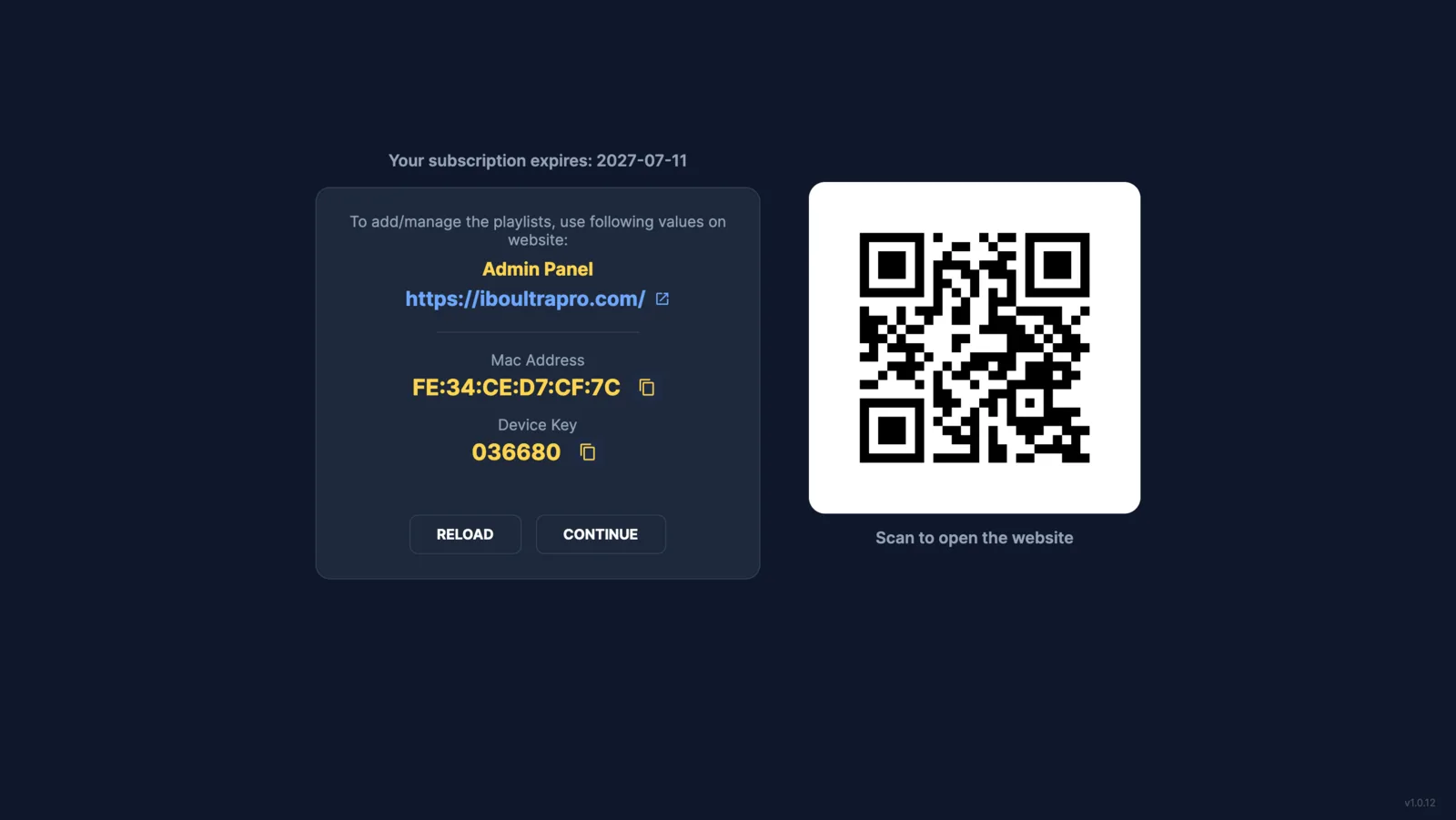
Choose a plan and pay
Pick 1 Year or Lifetime, then complete the secure payment. Your device updates within seconds.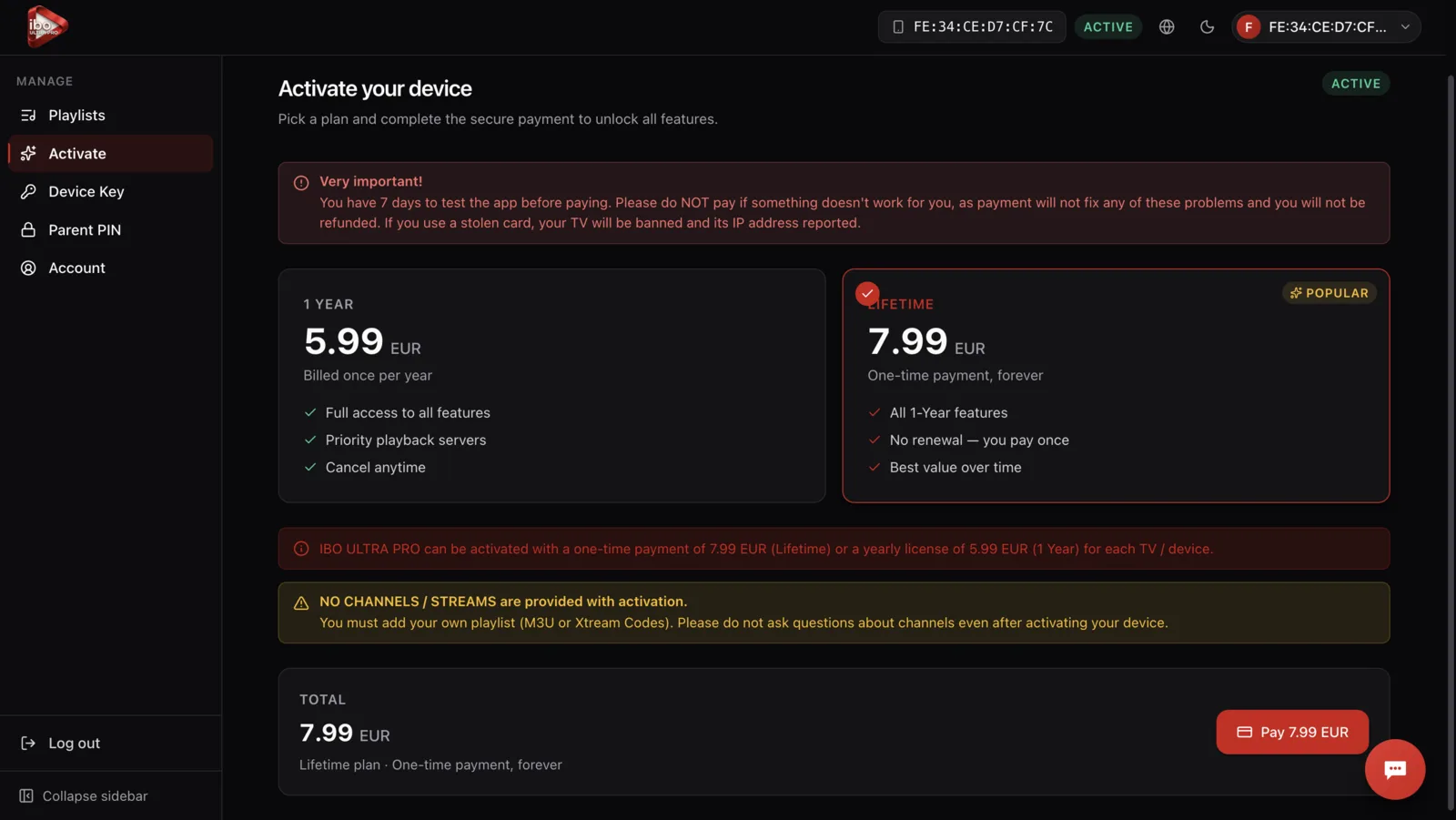
IBO ULTRA PRO can be activated with a one-time payment of 7.99 EUR (Lifetime) or a yearly license of 5.99 EUR (1 Year) for each TV / device.
NO CHANNELS / STREAMS are provided with activation.
You must add your own playlist (M3U or Xtream Codes). Please do not ask questions about channels even after activating your device.
7-day free trial
New devices get a 7-day trial automatically. Test the app before you commit.