IBO Ultra Pro MAC address and Device Key: what they are and where to find them
The IBO Ultra Pro TV app shows two identifiers for your device: a MAC address and a Device Key. You find both on the app's Account screen, and on its welcome screen the first time the app opens.
This page covers the TV app for Android TV, Android TV boxes and Fire TV. The Google Play app for Android phones and tablets is a separate app, and this page does not describe it.
What the MAC address is
In IBO Ultra Pro, the MAC address is the identifier the TV app shows for your device. The app creates it from your device's Android ID and displays it in the format of a MAC address, so it is not the hardware address of your device's network adapter.
Whenever you need it, enter exactly the value the app shows.
What the Device Key is
The Device Key is a device identifier that the TV app generates and displays next to the MAC address.
The Device Key is not a password, not a security key and not an authentication factor.
Where to find them in the TV app
On the welcome screen
The first time the TV app opens, its welcome screen shows the MAC address and the Device Key.
On the Account screen
At any time, select Account on the app's home screen. The Account screen shows your MAC address and Device Key.

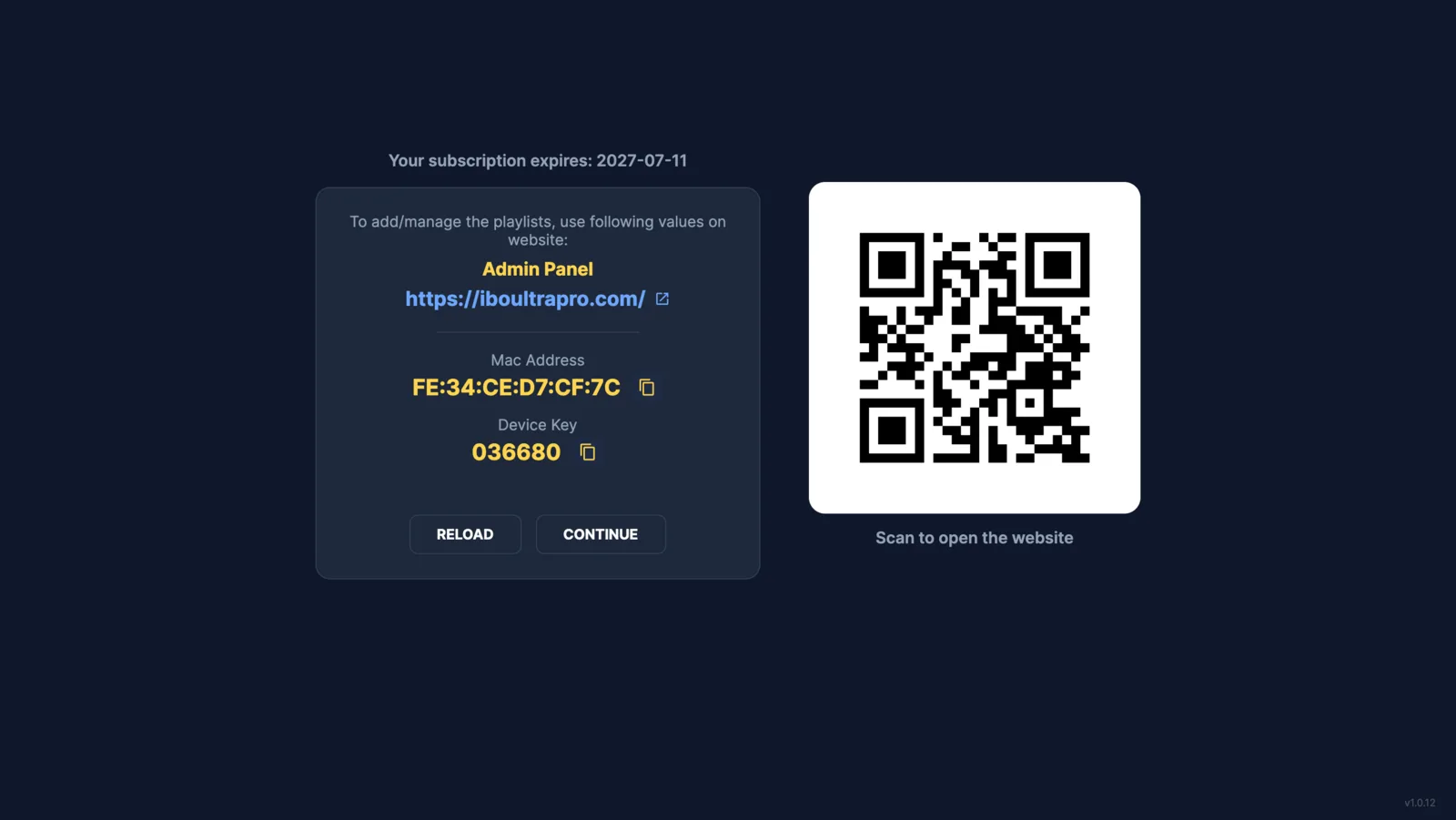
Screens from the TV app. The MAC address and Device Key shown are demo values.
Which identifier you use on this website
On this website, you sign in with the MAC address shown on your TV.
When you write to support, include the MAC address the TV app shows.
For activation, read about how the free trial and licences work.
Related help
TV app not installed yet? Follow the Android TV guide or the Fire TV guide.