IBO Ultra Pro: media player for your own M3U and Xtream Codes playlists
IBO Ultra Pro is a media-player application. Its TV app runs on Android TV and Android TV boxes with Android 8.0 or later and on compatible Fire TV devices through the Downloader installation method, plays your own authorized M3U or Xtream Codes playlist and starts with a 7-day free trial. For Android phones and tablets, there is an official IBO Ultra Pro app on Google Play.
IBO Ultra Pro plays the playlists you add
IBO Ultra Pro is the player: you add your own authorized playlists, and it plays them. It does not sell, host or provide channels, subscriptions or content playlists. A limited demo playlist of public test videos may be shown until you add your own playlist.
Devices that run IBO Ultra Pro
Android TV and Android TV boxes
Android 8.0 or later
Fire TV (Downloader installation method)
Compatible Fire TV devices with Fire OS 7 or later
Android phones and tablets

Check the installation route for each device. Not sure which app fits your device? See supported devices and requirements.
Add your own playlist: M3U or Xtream Codes
In the TV app, your playlist is one of these:
- An M3U link, which opens in the Live section.
- An Xtream Codes login (server URL, username and password), which adds Movies and Series.
Here is how to add your own M3U link or Xtream Codes login. For the details, see how the two playlist types compare.
7-day free trial, then a one-time licence
The TV app starts a 7-day free trial the first time it opens. After that, each device needs a one-time 360-day or Lifetime licence.
Find out what happens after the 7-day trial.
Player features at a glance
What you can do in the TV app:
- Save channels to Favorites and search your playlist.
- Turn on subtitles and switch between audio tracks included in the stream.
- Set a 4-digit parental PIN on the website. The app asks for it before opening Settings, where you can hide Live, Movies or Series categories.
- Use the app in English, French or Arabic, with a right-to-left layout in Arabic. This website is in the same three languages.
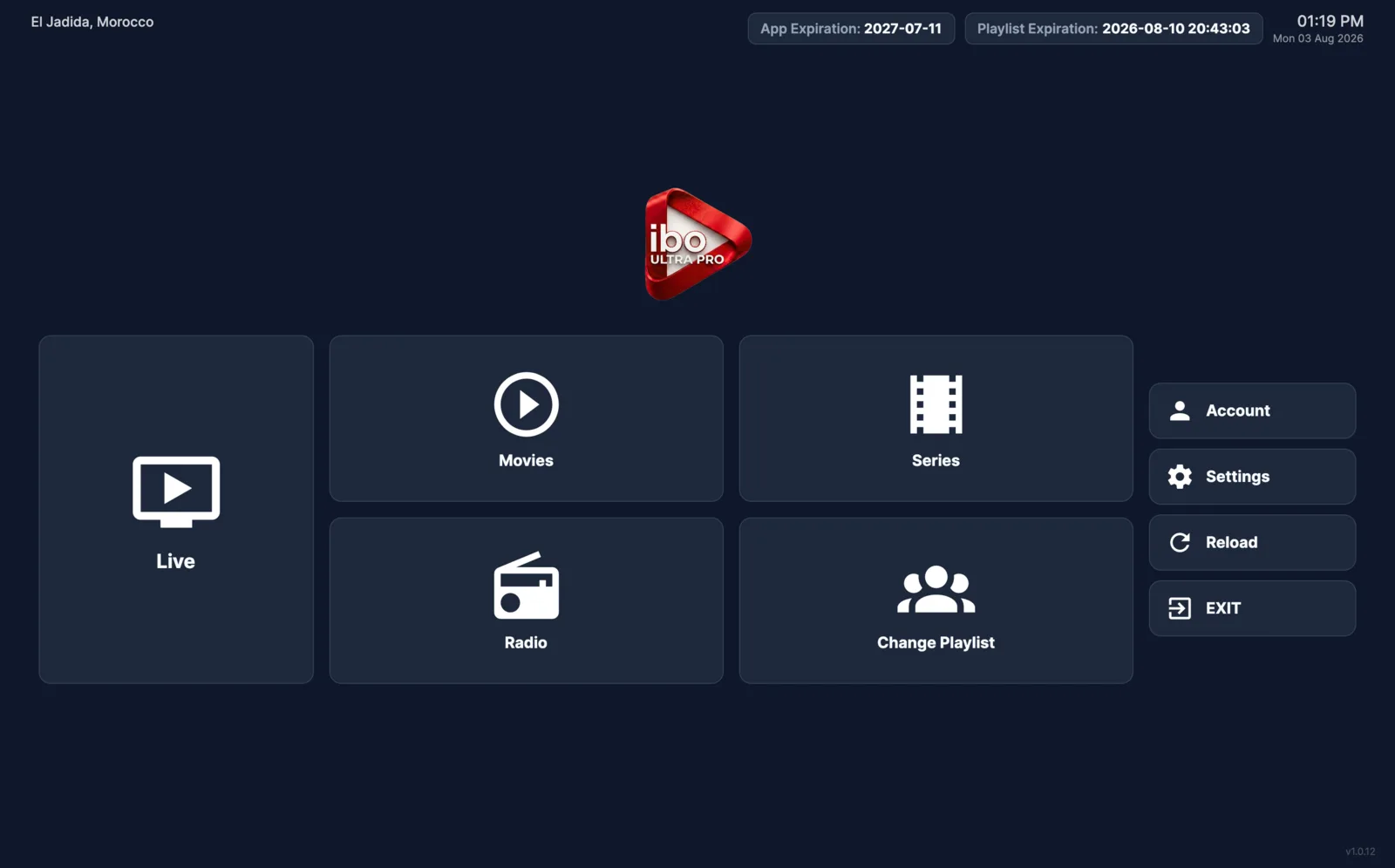
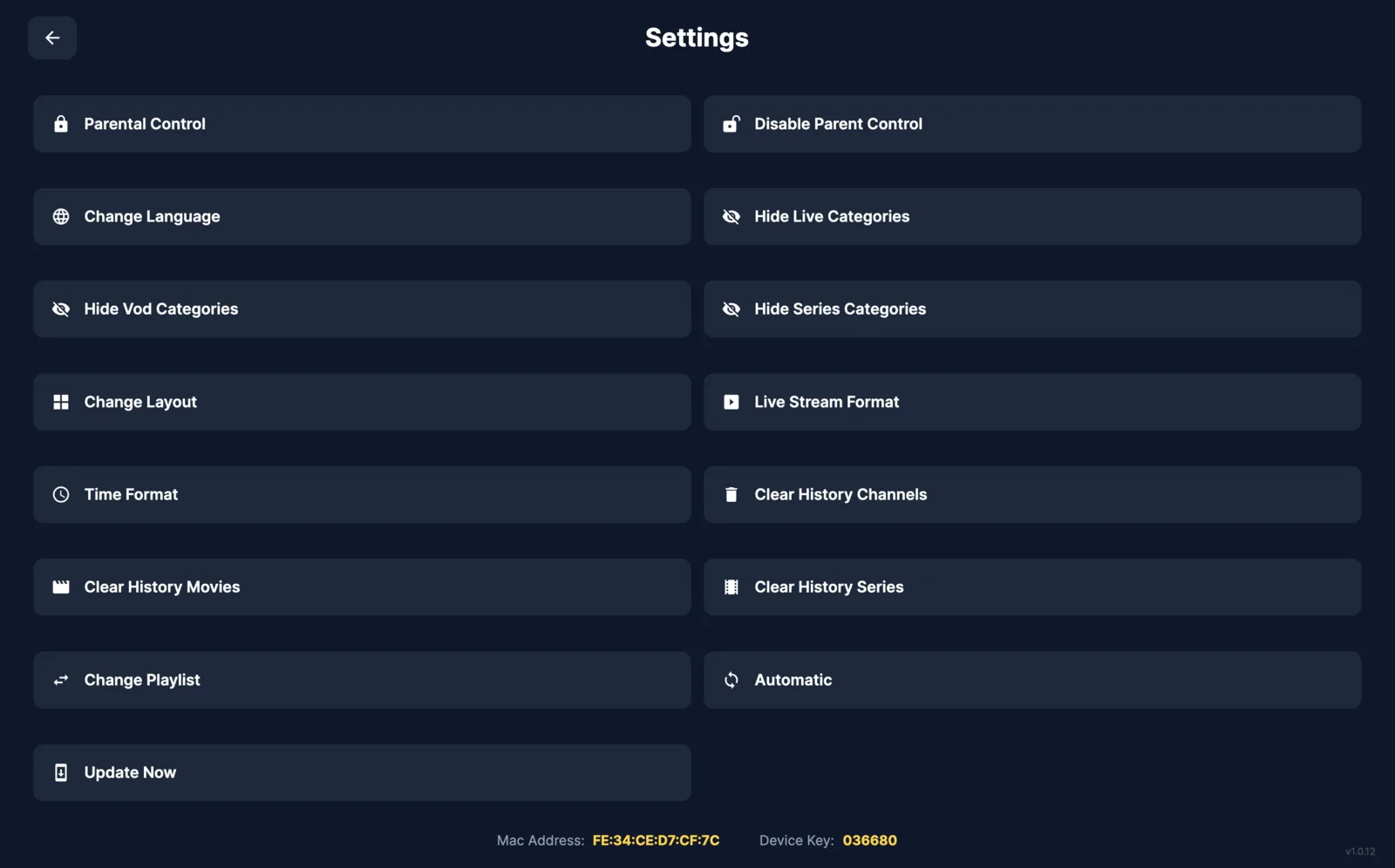
Screens from the TV app.
Get started with IBO Ultra Pro
Install the TV app
On Android TV, an Android TV box or Fire TV, start with the download.
Find your MAC address
The TV app shows it under Account, and on its welcome screen the first time it opens. You use it to sign in on the website.
Sign in on the website and add your playlist
Sign in with the MAC address shown on your TV, then add a playlist from the website, as an M3U link or an Xtream Codes login.
Quick answers
Does IBO Ultra Pro include channels or content?
No. IBO Ultra Pro only plays the playlists you add; a limited demo playlist of public test videos may be shown until you add your own.
Is IBO Ultra Pro free?
The TV app starts with a 7-day free trial, then each device needs a one-time licence: see the current activation status.
My playlist won’t open or freezes: what should I do?
Most playback problems come from the playlist provider or the network, so test the link in another media player, then contact your playlist provider.
Didn’t find your answer? You can write to the support team.